🎉 Appmixer 6.5 is here: The biggest release so far, bringing an AI copilot
Read more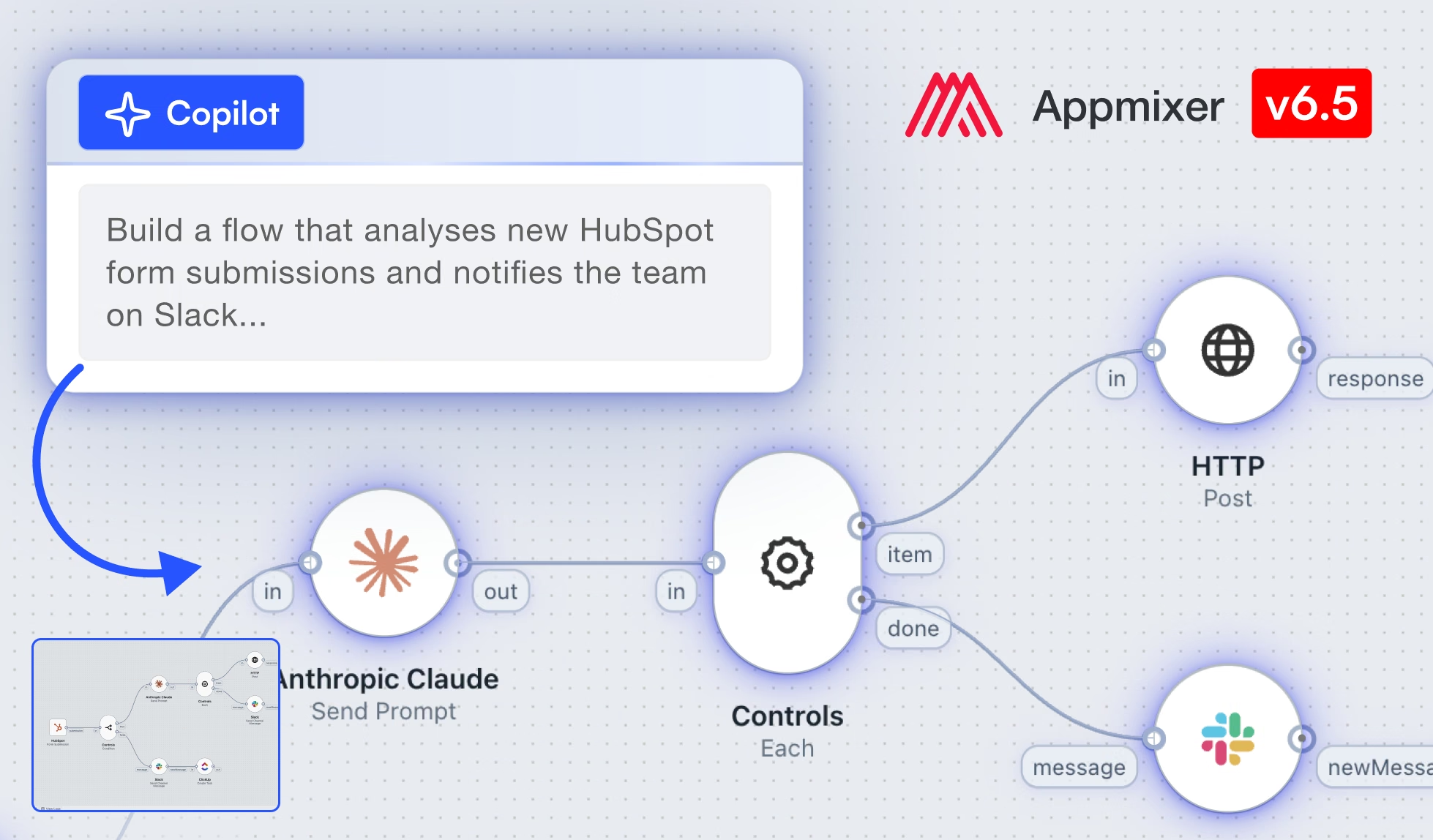
.jpg)
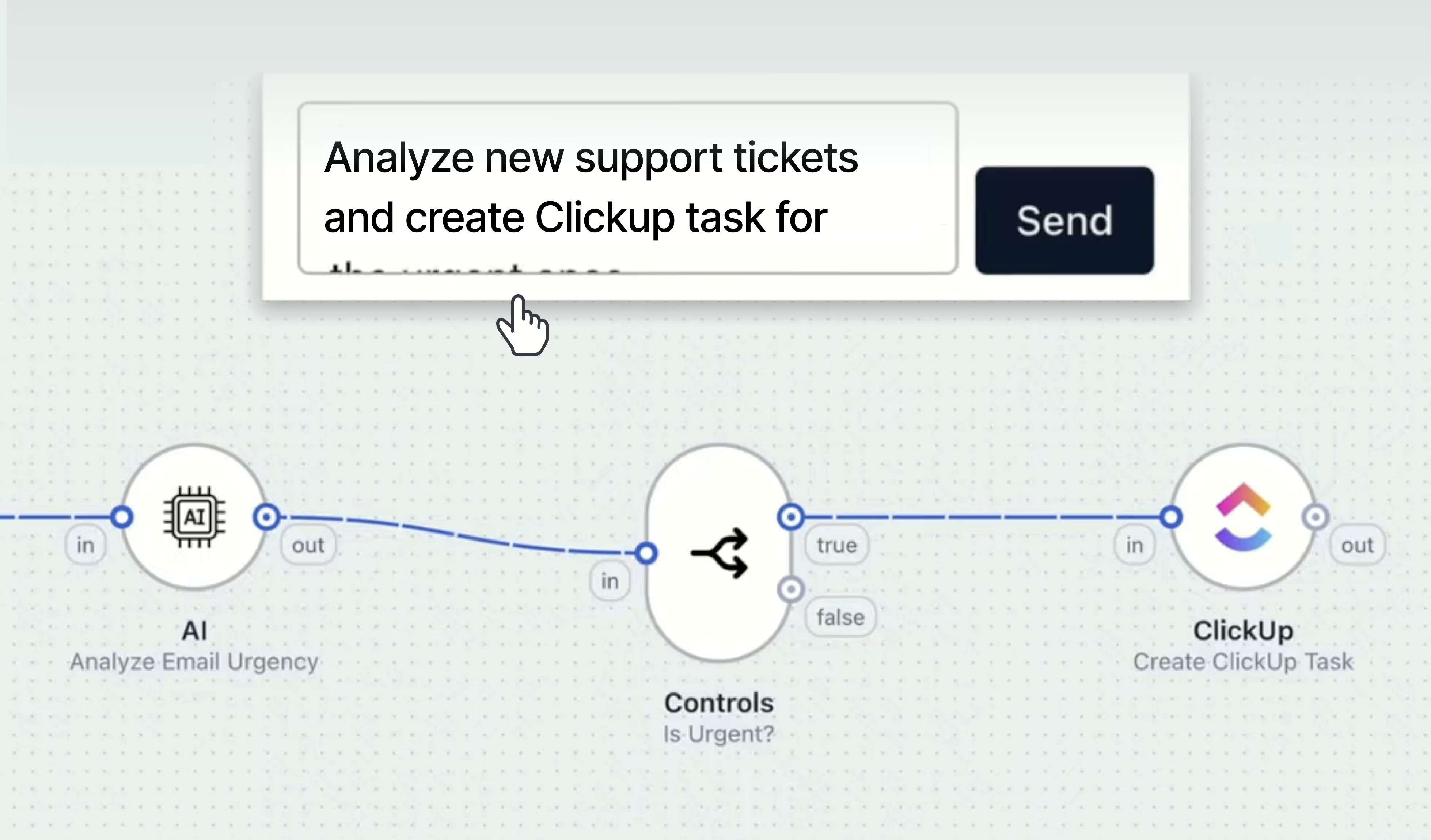
We've been building toward this one for a while. Appmixer 6.5 is here, and it's the biggest release we've shipped. The headline is an AI Copilot that lets your end users build automations by describing what they want in plain language, right inside the Designer you embed in your product.
But a Copilot is only useful to your customers if they can trust it, test what it builds, and roll back when something's wrong. So 6.5 ships the whole supporting cast alongside it: a new Designer canvas that shows your users exactly what's happening, AI usage monitoring so vendors can see and control spend, flow testing to try a flow before it goes live, flow versioning and drafts to edit running flows safely, per-component error handling, stronger validation, plus platform work like OpenTelemetry and TypeScript connectors.
🎥 Watch Matous, our Head of Product, walk through all the goodies of 6.5 🔥
💡 This post covers the highlights of Appmixer 6.5. For the complete list, including every API, SDK, and engine change, read the full changelog.
This is the headline of 6.5, and the reason we're calling it our biggest release.
The Copilot is an AI assistant built directly into the Designer. Your users describe the automation they want in plain language, and it builds it on the canvas. It picks the right connectors, wires the components together, and fills in the parameters. It can also read the flow that's already open to modify or explain it, so it's just as useful for someone editing an existing automation as for someone starting from a blank canvas. When a flow is already running, the Copilot works on a draft, so live automations keep processing data untouched.
The hardest part of embedded automation has always been the blank canvas. Non-technical end users know the outcome they want, but not which trigger to pick or how to map fields between two apps. The Copilot removes that barrier, which is the difference between users who could build automations and users who actually do. For a product team, that's a direct lever on activation and stickiness. Automations that get built are automations that keep customers in your product.
It ships as an engine plugin, and it's off until you turn it on. You're not forced into an AI feature you didn't ask for, and nothing changes for your users on upgrade unless you enable it. When you do, you choose the LLM provider and model. The Copilot runs against your own AI account, not a black box we control. Conversation history is retained per flow and restored when the panel is reopened, and the example prompts are configurable, so the Copilot can speak in your product's own language rather than generic automation jargon.
The Copilot builds flows, but your users still watch them come to life on the canvas, so we rebuilt it. 6.5 introduces a new diagram for the flow builder: more responsive, with new effects and animations, and an auto-align button in the lower-left toolbar.
It gives your users far more visual feedback than the old canvas, and that pays off most during testing, where component status and log data are visible directly on the canvas on hover. Watching a flow execute step by step, seeing each component light up as data passes through it, is what makes automation feel approachable to a non-technical end user rather than abstract.
The new canvas currently supports the left-to-right layout. Customers on the top-to-bottom layout keep the existing canvas until they choose to switch, so nothing breaks on upgrade.
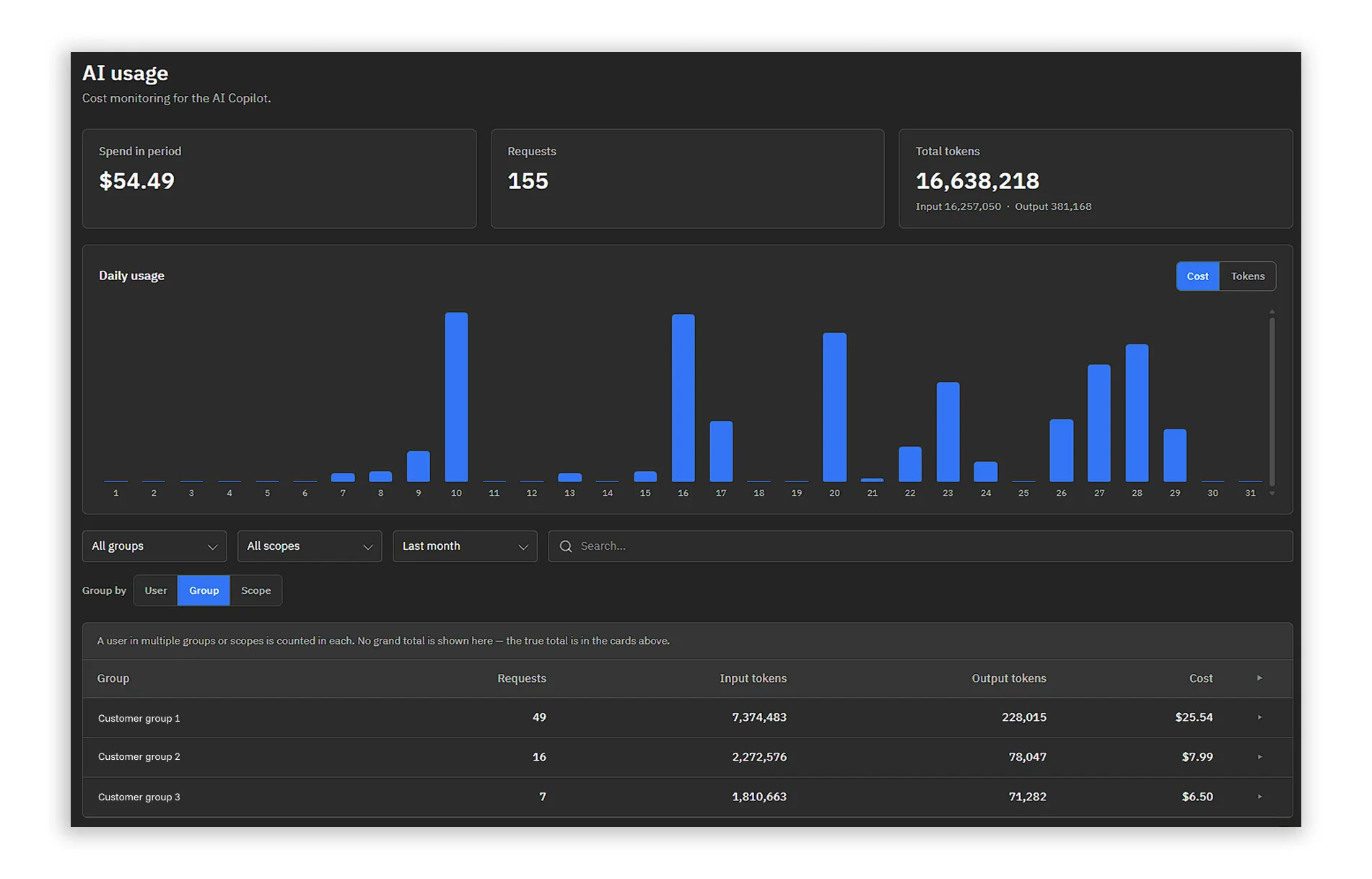
An AI feature you can't see the cost of is an AI feature you can't approve. So Insights is now split into Flow activity and AI usage.
The AI tab shows exactly what the Copilot is spending: summary cards, a daily consumption chart, and a cost breakdown per user, per group, and per scope. It's all backed by new admin usage API endpoints, so you can pull the numbers into your own billing or reporting.
This is what makes the Copilot approvable for a vendor. Before you switch on an LLM-powered feature for thousands of customers, you can see precisely where the spend is going and attribute it per customer, before it surprises you on an invoice.
A new Test flow button runs a flow once without starting it. As it runs, per-component progress streams live onto the canvas with status badges. Click a component's result badge to open its output, and the results link straight into the flow logs.
Test runs never change the flow's stage and never touch production state, so your users can validate a flow with real confidence before anything goes live.
Each trigger type gets its own dedicated test inputs: a JSON payload dialog for webhook triggers (with the option to load a recent live run), a conversational side panel for chat triggers, and a form dialog for form triggers. If no test data is supplied, the engine resolves the trigger's output through a fallback chain. It tries the trigger's new test() method for real data, then past runs from the logs, then a sample generated from the output schema, and it tells the user which source it used. Connector developers can implement test() to provide real sample data for their own triggers.
Test runs are logged with a testRunId, so they're clearly marked and filterable in the Logs, and they're available through a new SSE endpoint with an abort endpoint alongside it.
The old validation sidebar is now a floating panel attached to the Activate/Publish and Test flow buttons, so feedback appears exactly where the user is looking instead of tucked away to the side.
Validation also catches more than it used to. A component that requires authentication but has no connected account now fails validation up front, instead of failing at runtime with a cryptic "missing access token" error. Required fields inside expression-type fields are validated too. The result is that problems surface in the builder, where they're easy to fix, instead of at runtime after a flow is already live.
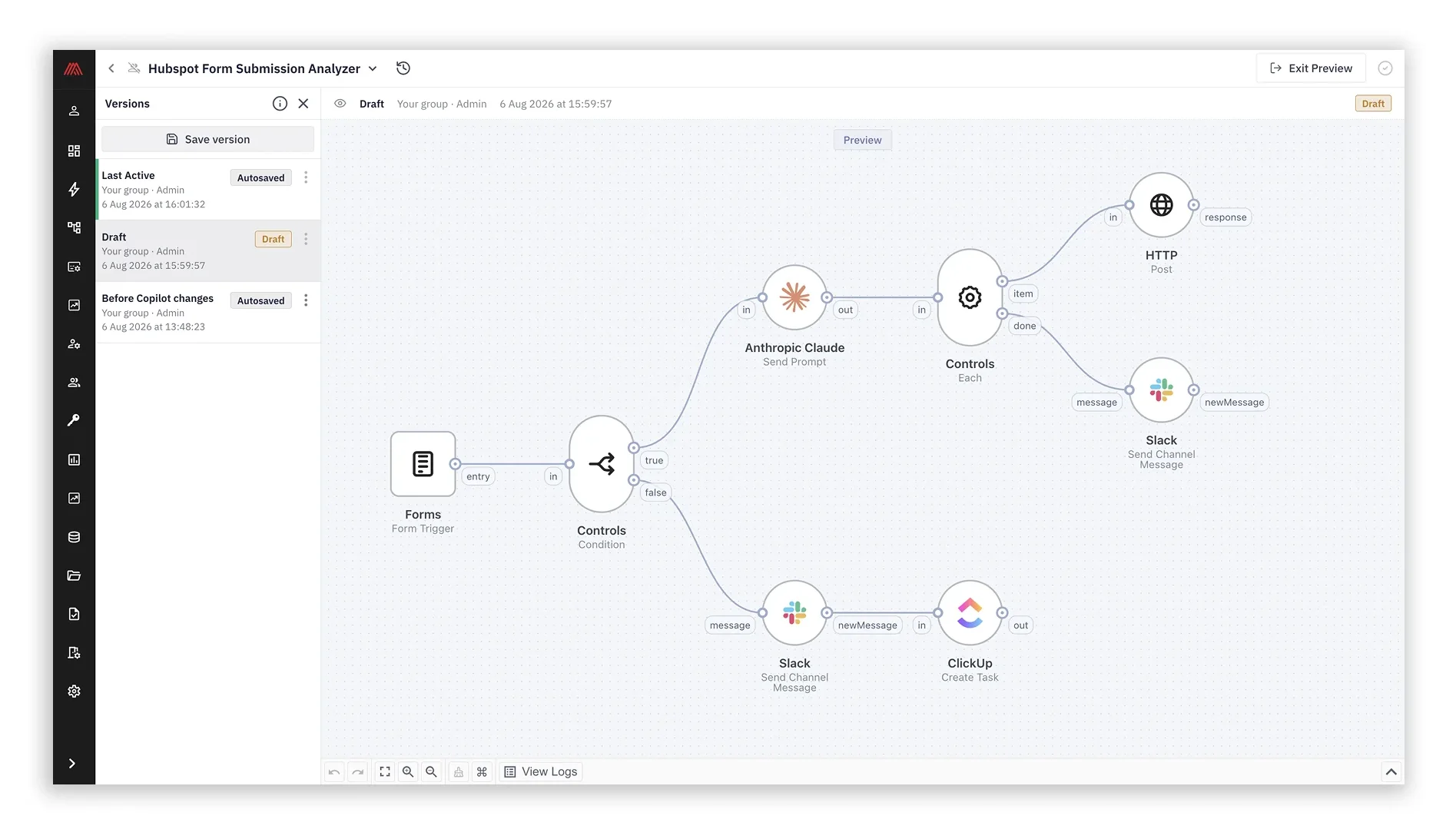
A new side panel manages version history per flow. You can save named snapshots, rename them, restore, clone a version into a new independent flow, or delete versions. A status bar above the canvas always shows which historical version is being browsed.
Crucially, running flows can now be edited through drafts. Click Edit on a running flow and you get a draft, while the live flow keeps running unchanged. When you're ready, Publish Changes merges the draft back and automatically snapshots the pre-publish state, so you always have a point to return to. Restore is draft-aware too. On a running flow, a restore goes into a draft rather than touching the live version directly, and restoring a stopped flow creates a restore point first.
All of it is exposed through a new Flow Versions API: version CRUD, draft-aware restore, cloning, version types, and automatic garbage collection with configurable retention. For your users, this is the safety net that makes it reasonable to touch a production automation at all.
Every step in a flow can now define its own error handling, through the component cogwheel in the Designer, or the errorHandling descriptor property in the API.
Each step gets an automatic retry toggle with a configurable retry count. Once retries are exhausted, you choose one of three actions: route the error to a virtual error output port that can be wired to any downstream component (with error details and flow data available as variables), stop the flow, or store the message as unprocessed.
This turns error handling from an all-or-nothing property of the whole flow into something your users can design deliberately, step by step. They can retry a flaky API call automatically, but route a failed record to an error branch that, for instance, sends a notification, instead of letting the whole automation stop.
💡 Nothing changes for existing flows. Unprocessed remains the default, so every flow you already run behaves exactly as it did before the upgrade. You opt into the new behavior only where you want it.
Expandable inspector fields. Every text field in the inspector panel now has an expand button that opens a larger editing dialog. It's aimed at the long content that was always awkward to edit in a narrow right-hand panel: message bodies, prompt templates, and JSON payloads.
Improved list filters. Filtering in the flows and templates lists now clearly shows which filters are applied, with a one-click way to clear them.
A new admin endpoint, PUT /resources/transfer, moves all resources owned by a user or group to another user or group, as a background task. That covers flows, accounts, tokens, data stores, and files. The obvious case is offboarding: when an employee leaves, their automations don't leave with them.
To keep this clean, deleting a group that still owns flows is now rejected unless its resources are transferred first, or you explicitly pass ?force=true.
OpenTelemetry support. Opt-in OpenTelemetry instrumentation for HTTP, MongoDB, Redis, and RabbitMQ across all engine services. Enable it by pointing OTEL_EXPORTER_OTLP_ENDPOINT at a collector, and toggle individual instrumentations with env vars. There's zero overhead when it's disabled, and it drops Appmixer straight into the observability stack your engineering team already runs.
TypeScript connectors. Component behaviour files can now be written in TypeScript. The engine runs them using Node.js native type stripping, so there's no build step. Your .ts files upload exactly like .js files.
If you run the self-managed version, the Docker image tags 6.5.0 (with built-in Appmixer components) and 6.5.0-nocomp (without built-in Appmixer components) are now available in the Appmixer Docker registry.
If you're on the hosted version, customers running Appmixer 6 or later will be automatically upgraded to the latest version on September 7, 2026. Customers on versions earlier than 6 will be upgraded on request to avoid any breaking changes. If you have a staging or test environment, you'll have time to explore the new version before your production upgrade. Check your inbox for more details.
And a reminder worth repeating: the Copilot is opt-in. It's an engine plugin that stays off until you enable it and connect your own LLM provider, so upgrading to 6.5 doesn't turn on any AI feature you didn't ask for.
May Appmixer 6.5 make your product stickier, your customers more independent, and your roadmap a little less crowded. 🍀
Got a feature idea or feedback on what we've shipped? We'd love to hear it.