🎉 Appmixer 6.5 is here: The biggest release so far, bringing an AI copilot
Read more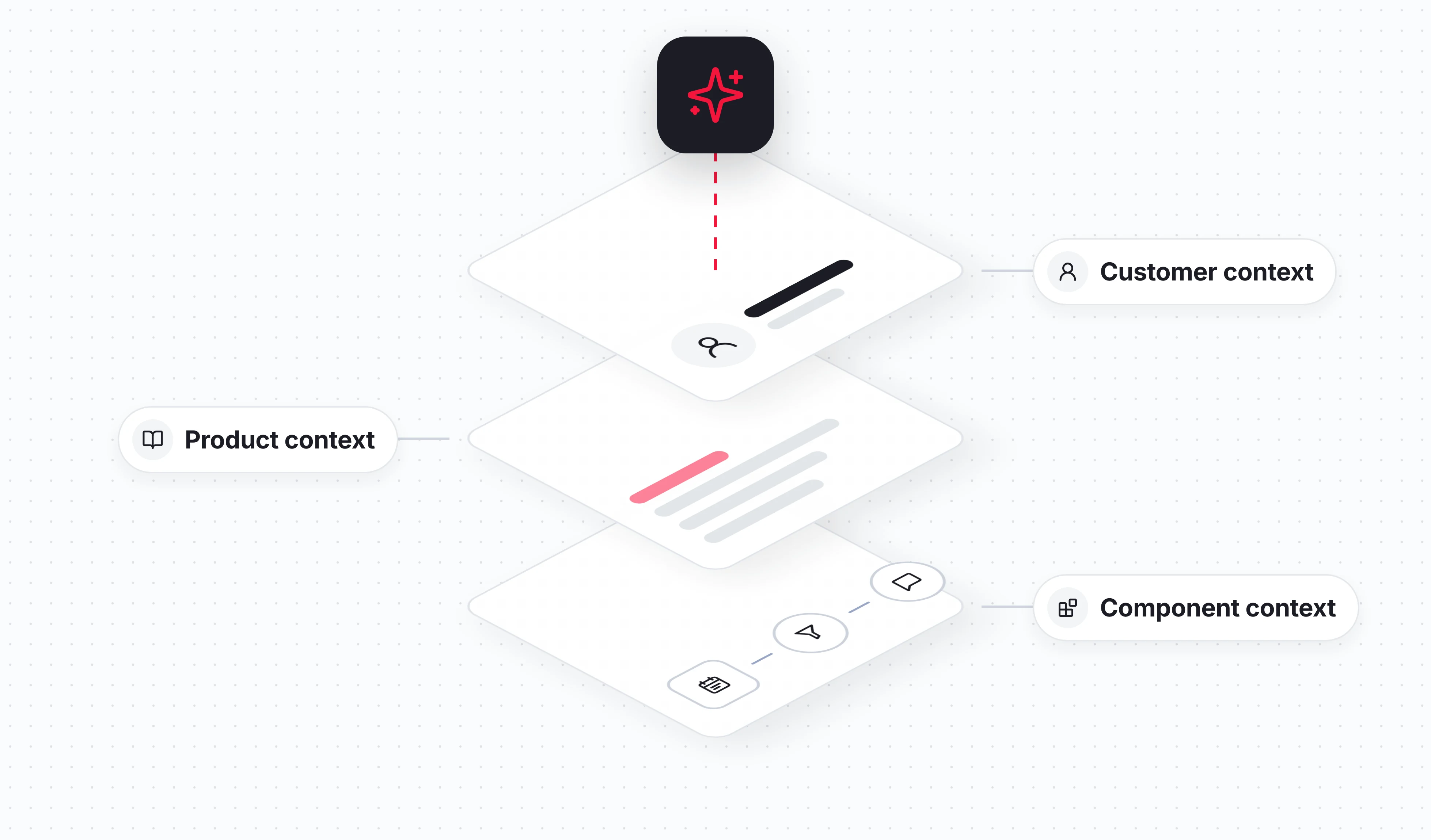

When your customers ask for an automation, they expect the one they had in mind. The right trigger, the right steps, in the terms they use every day. Getting that right is what makes an AI copilot useful inside your product.
To build the right automation, the Appmixer AI Copilot needs context from you. It needs to know your product: what it does and what its terms mean. It needs to know your components, the steps an automation is made of, and when to use each one. And it needs to know your customer: who is asking and what they work with.
Your customers will not explain any of that, and they should not have to. They type one sentence and expect a working automation back.
So the copilot gets that context from you. In Appmixer you set it up once, in three places.
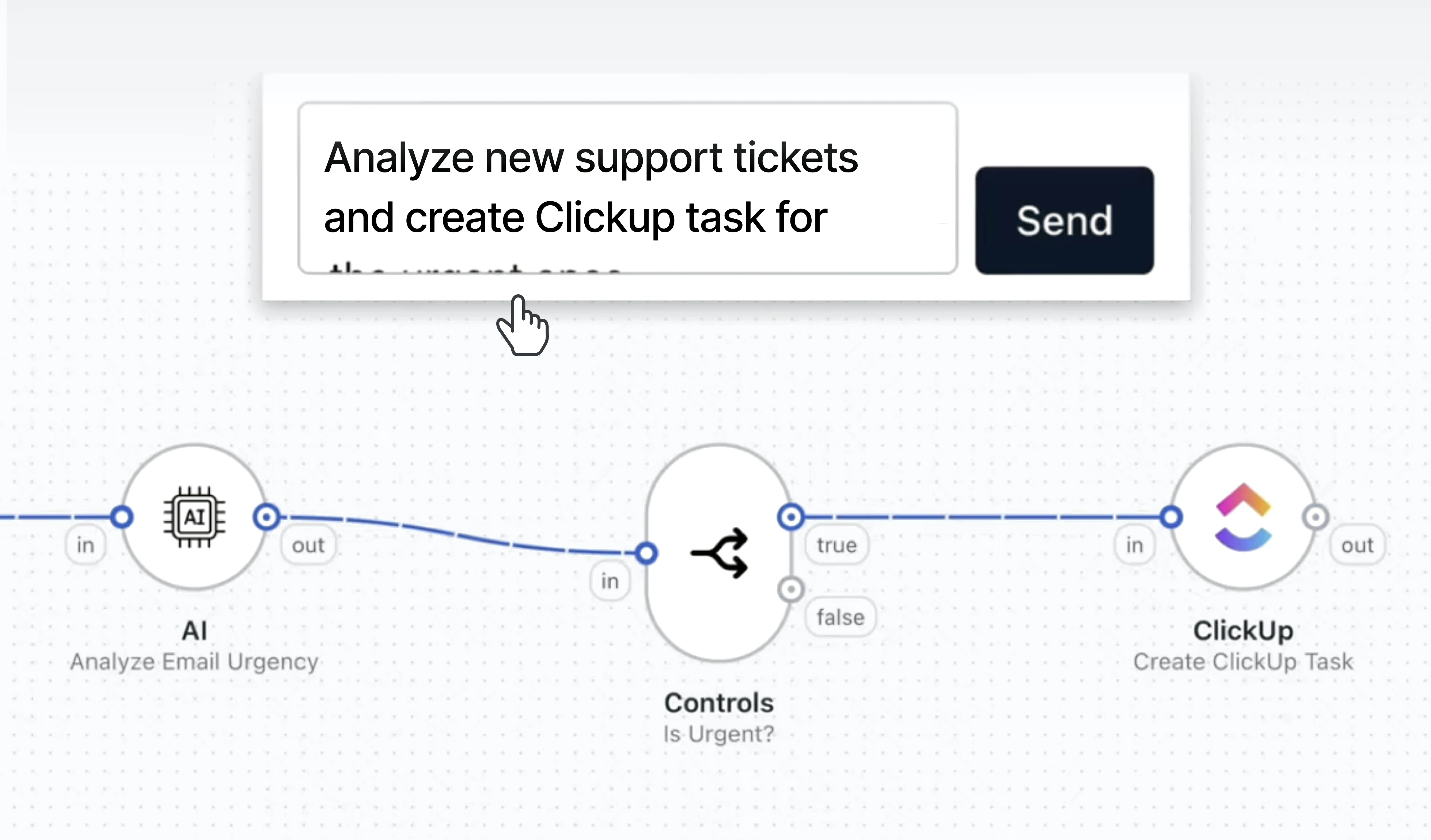
Appmixer is embedded automation. Your customers build automations inside your application, not in a separate tool such as Zapier, Make or n8n. They do it in a visual automation builder that you embed in your product, under your brand. The AI Copilot is an assistant inside that builder. Your customer describes a routine task they want off their hands, and the copilot builds the automation for it. It can combine your own API endpoints and connectors to third-party apps, and add AI agents for more complex tasks.
That is why context is key. The better the copilot understands your product and your customers, the closer each automation is to what they had in mind.
The Appmixer AI Copilot gets its context from three layers that you, the SaaS vendor, write:
aiDescription on each component tells the copilot when to use it. For example: "Use Close Ticket when the customer wants to mark a ticket as solved. It does not delete the ticket."The copilot combines all three layers on every request, inside your product.
None of this is model training. It is text your team writes, reviews and changes like any other configuration.
Take Northstay, a fictional hotel management platform that embeds Appmixer. A front desk manager at one of its hotels opens the automation builder and types:
When a VIP guest books a stay, ask housekeeping to prepare a welcome gift for their arrival and send the guest a welcome message.
That sentence has four open questions in it. Who counts as a VIP? Which event is "books a stay"? How do you "ask housekeeping"? And a welcome message through which channel?
With the right context in place, the AI Copilot answers all four correctly. It returns this flow:
All four steps are Northstay's own. "Reservation Confirmed" is an endpoint of Northstay's API, exposed as an Appmixer component. The copilot uses it the same way it uses a Gmail or Slack connector. And the flow is scoped to the manager's own hotel, not to every property in the chain.
The manager did two things. They described the workflow in one sentence, in their own words. Then they reviewed the flow and confirmed it does what they meant.
The value is in what they did not have to do. They did not define VIP. They did not choose between two triggers with similar names. They did not learn that their loyalty data lives in a field called loyaltyTier. They never saw any of the context. They only noticed that the copilot speaks their language.
What they get is an ordinary Appmixer flow. If they want a fifth step next month, they open the same flow on the canvas and add it.
Every decision in that flow traces back to a piece of text the Northstay team wrote. Here is each layer in turn.
A component is one step in a flow: a trigger that starts it or an action that does something. Every Appmixer component has a manifest with a short description that people see in the designer. The optional aiDescription field sits next to it and is written for the copilot.
A good one says what the component is for and names the nearest thing it is not for.
{
  "name": "northstay.reservations.ReservationConfirmed",
  "description": "Triggers when a reservation is confirmed.",
  "aiDescription": "Use this trigger when the customer wants to react to a new booking. It fires once, when the reservation is confirmed. It does not fire for later changes or cancellations. For those, use Reservation Status Changed."
}
The field holds up to 1,000 characters. A few sentences are enough, and shorter is better, because the copilot reads the descriptions of all components in an app together when it looks for the right one.
This layer matters most for your own product components. The model already knows popular apps well. Your components are new to it, so that is where your description adds the most.
In the hotel example: this is why the copilot chose "Reservation Confirmed" and not "Reservation Status Changed".
The custom context is one setting for the whole product, up to 16,000 characters. You use it to describe your world: who your customers are, what your terms mean, and what your product can and cannot do.
## Vocabulary
A "property" is one hotel. A chain account can hold many properties.
A "guest" is the person staying. A "booker" is the person who paid.
"VIP" means a guest with loyalty level Gold or Platinum.

## Field names
"loyaltyTier" is the guest's loyalty level.

## Capabilities
Guests can be messaged by SMS or in the Northstay guest app.
There is no WhatsApp channel.
Housekeeping works from the task list in Northstay, not from email.

## Ambiguous requests
"All guests" means guests of the customer's own property,
unless they clearly ask for the whole chain.
Short sections, stated as facts. Tone of voice has its own separate setting, so it does not mix with product knowledge. There is no need to list your components here, because the copilot reads those directly.
In the hotel example: this is how the copilot knew that VIP means Gold or Platinum, that housekeeping gets a task and not an email, and that the welcome message goes by SMS.
Some facts differ from one customer to the next: which property they manage, their timezone, their language. Your backend writes these to an aiContext field on the customer's user record.
This user manages the property "Hotel Aurora" in Atlanta.
Timezone: America/New_York. Guest messages are written in English and Spanish.
Your customer never writes or sees this text. It is set by your system, with an admin token.
In the hotel example: this is why the flow covers Hotel Aurora only, not the whole chain.
On each request, the copilot looks up the components available to that customer. You control that list. In Appmixer you decide which connectors and components each customer can use, for example based on their pricing plan. The copilot follows the same rules. If a customer's plan does not include the Slack connector, the copilot does not build Slack steps for that customer. It builds only with what that customer already has access to.
The copilot then combines the component descriptions with the product context and the customer context, selects the trigger and the actions, and maps the fields. When it works on an existing flow, it can also read that flow's variables, so it knows what data each step produces.
Your customers benefit from the context, but they never write it. Each layer has one clear owner on your side:
There is one more safeguard. All of this context describes your product and your customers. It cannot override the copilot's built in rules for how a flow is built safely.
Teaching the copilot your product is a writing task, not an engineering project. A product manager who knows the domain can write the product context. The engineers who build your components already know what each one is for and what it is not for.
What your customers get is a copilot that understands them. It sits inside your product, under your brand, and it speaks your product's own terms. And the more precisely the copilot understands your product, the more of your customers get a correct automation from their first sentence.
That precision comes back to you. A customer whose first automation works builds a second one. More of your customers run their daily work through your product, which makes it harder to replace. And fewer of them ask your support team to set an automation up for them.
The AI Copilot is part of Appmixer today. Start a free trial and let your customers automate their work without leaving your product.
The Appmixer AI Copilot is an assistant inside the Appmixer automation builder, which SaaS vendors embed in their own product. A customer describes a routine task in their own words, and the copilot builds the automation for it. For customers, that means a working automation without learning how to build one. For the SaaS vendor, it means more customers who automate their work inside the product, with less help from the support team.
The Appmixer AI Copilot uses three layers of context that your team writes. Component context tells it when to use each trigger or action. Product context gives it your product's language. Customer context tells it who is asking, such as their account and timezone. The copilot combines all three on every request.
No. The Appmixer AI Copilot learns your product from written context, not from model training. Your developers describe each component, and your team describes the product in plain text. You can change that text at any time, like any other configuration.
By default, the Appmixer AI Copilot runs on a model from Anthropic. You can change the provider and the model in the copilot's configuration. You can also connect it with your own LLM API key, which keeps the choice of model and the data path on your side.
Both. Any endpoint of your API can be exposed as an Appmixer component, and the copilot uses it the same way it uses a connector to a third-party app. It can combine the two in one automation, and add AI agents for more complex tasks.
Your team controls all of it. Developers maintain the component context, your team writes the product context, and your backend writes the customer context with an admin token. Customers cannot see or edit any of it, and the context cannot override the copilot's built in rules for building a flow safely.